X-ACDM Mobile
Pada dasarnya aplikasi x-acdm mobile sama dengan x-acdm berbasis website. Perbedaan hanya ada pada view display tampilan. Berikut penjelasan detil tentang langkah general akses aplikasi A-CDM versi mobile, beserta tips dan trik penggunaan aplikasi:
Mengakses aplikasi A-CDM
Untuk aplikasi A-CDM versi mobile pada play store atau app store:
pada play store

https://play.google.com/store/apps/details?id=com.inalix.xacdm
Link mobile app A-CDM AP1 pada Play Store
pada app store

https://apps.apple.com/id/app/a-cdm-ap1/id6467093078
Link mobile app A-CDM pada App Store
Untuk membuka aplikasi, ketuk ikon A-CDM AP1 pada layar utama telepon Anda
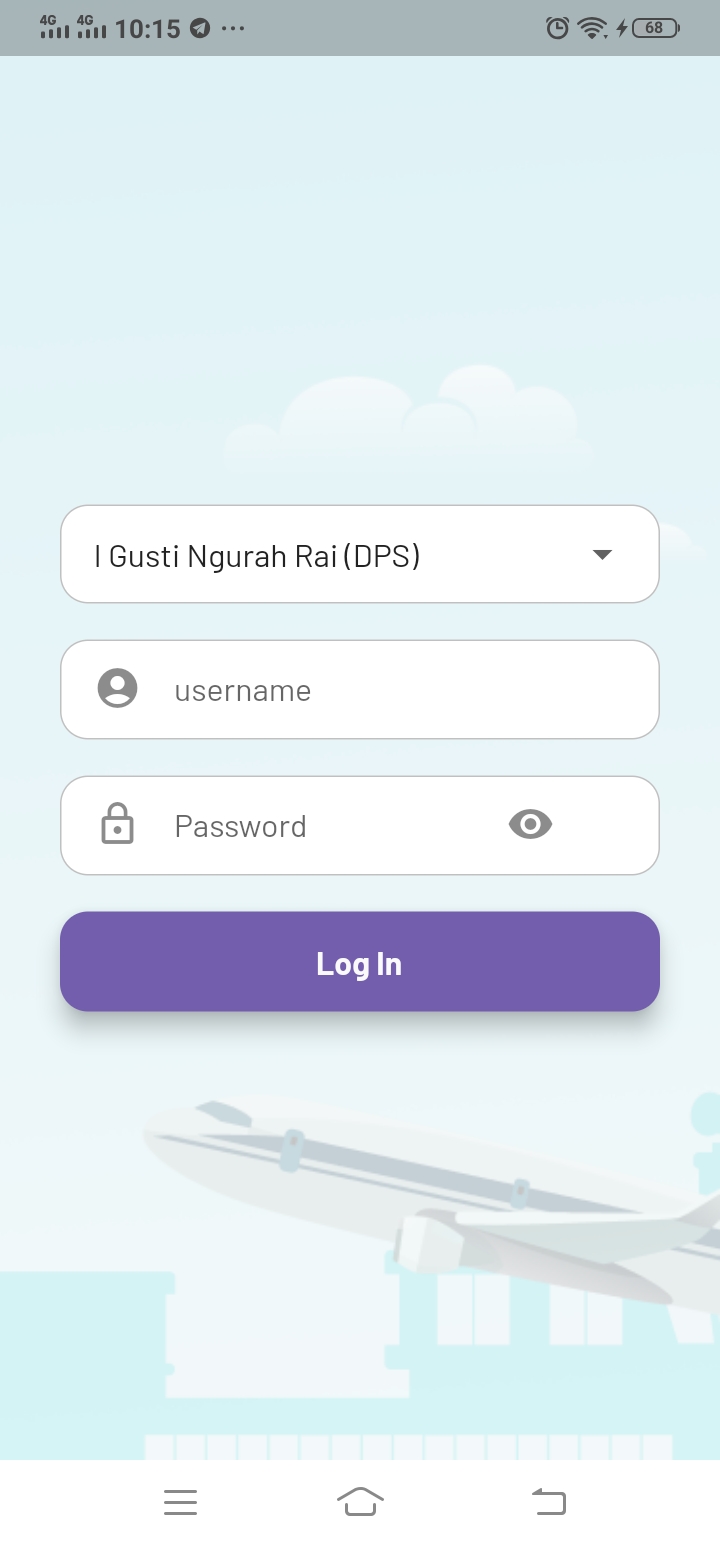
Untuk login aplikasi: pilih cabang bandara >> masukkan username >> password >> klik login
Setelah masuk, pastikan memilih timezone sesuai lokasi bandara (klik hamburger menu untuk pengaturan memilih timezone)
 ` `
` ` 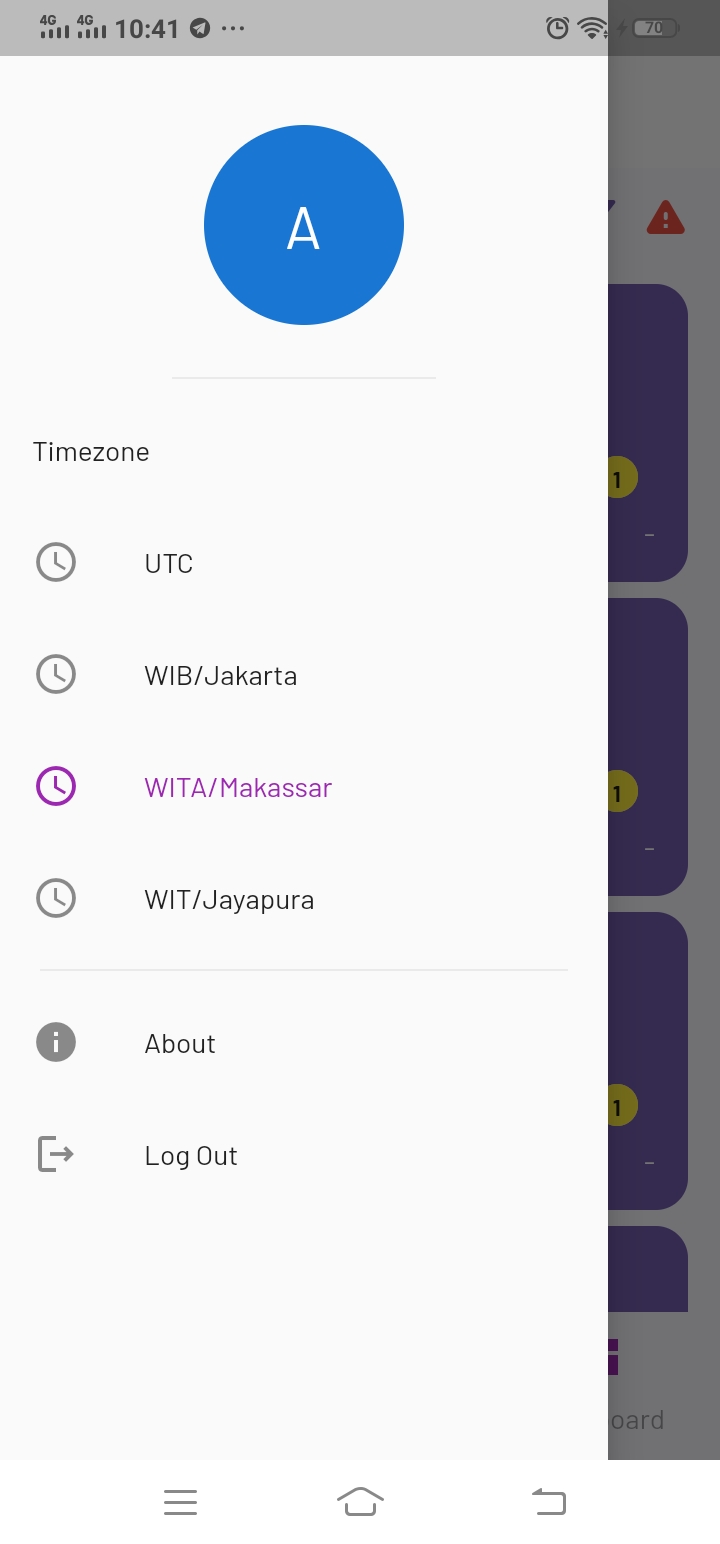
form login dan select timezone sesuai lokasi bandara
Workspace
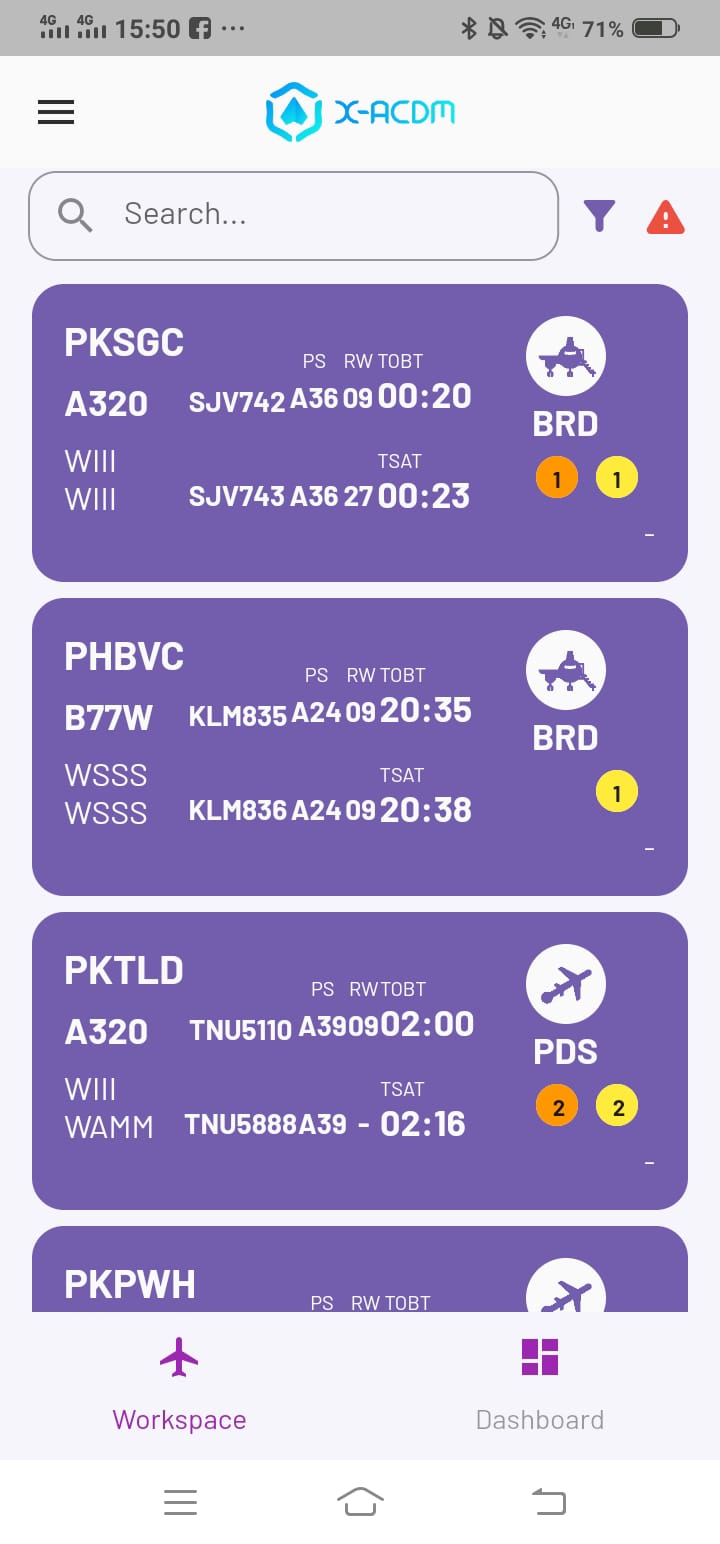
halaman home (tab workspace) acdm mobile
workspace adalah tab (halaman) default yang diakses pertama kali setelah berhasil login
workspace menampilkan data flight A-CDM dalam bentuk card
klik salah satu card, akan menampilkan detil flight
Halaman detil ini juga merupakan halaman form input data a-cdm via mobile
detil field dan rules pengisian acdm dapat dilihat di manual documentation versi website
berikut penjelasan data flight pada halaman home workspace dan detil field form input
Penjelasan data flight pada home workspace
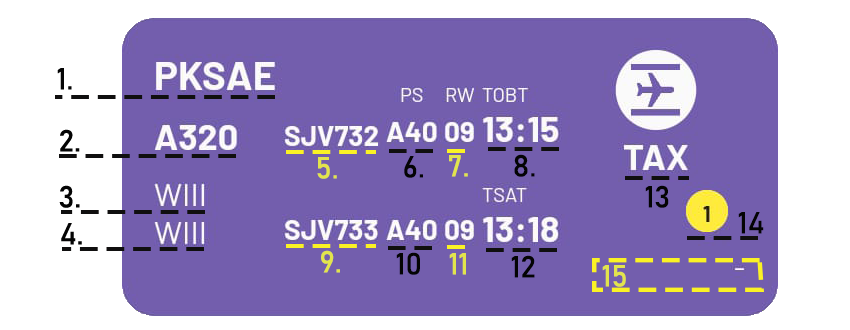
1.regno; 2.aircraft type; 3.airport (origin); 4.airport (destination); 5.flight number (arrival); 6.PSTA; 7.RWA; 8.TOBT; 9.flight number (departure); 10.PSTD; 11.RWD; 12.TSAT; 13.status (taxi in); 14. allert; 15.operational user remark (no remark)
Resume Flight Pada Card View Workspace ACDM
flight detail
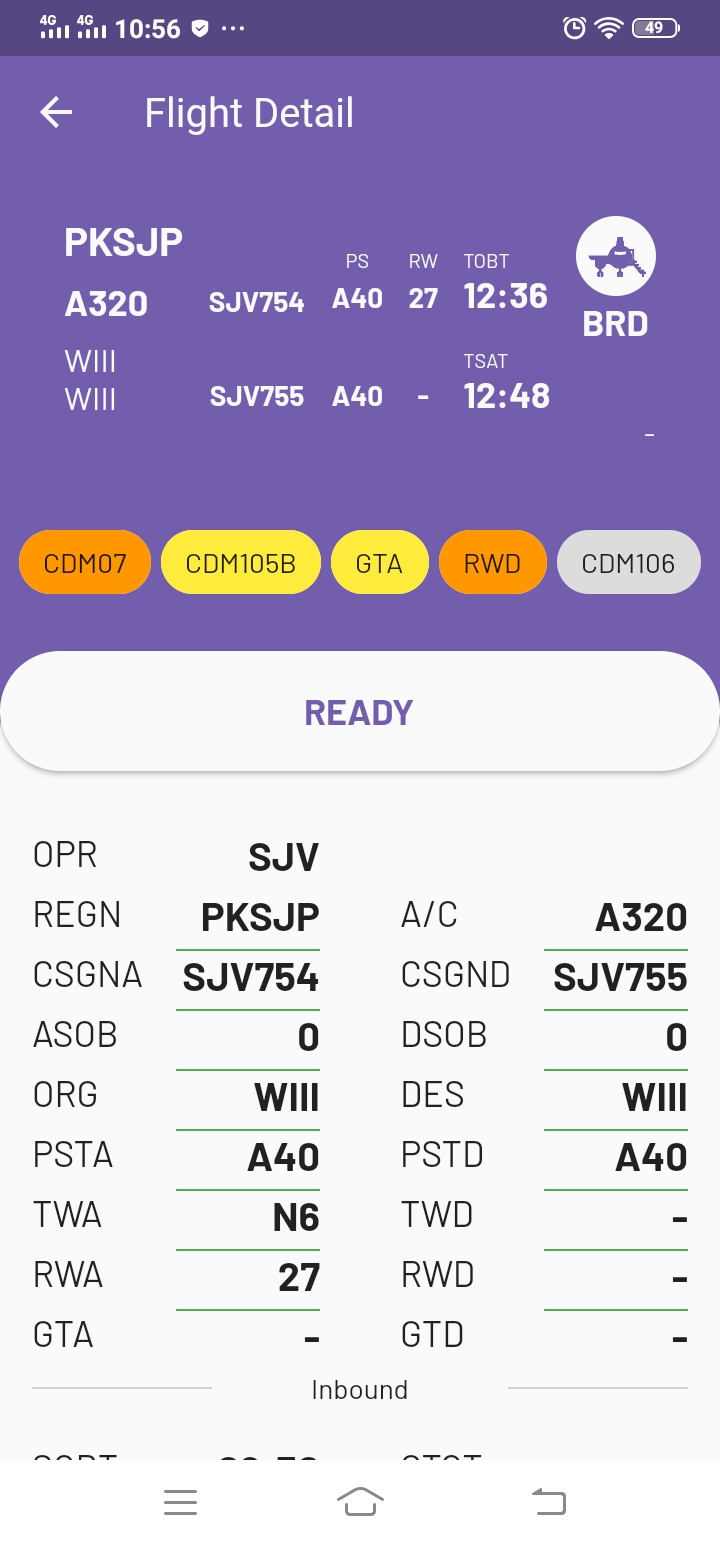
Klik salah satu flight >> menampilkan flight detail
 ` `
` ` 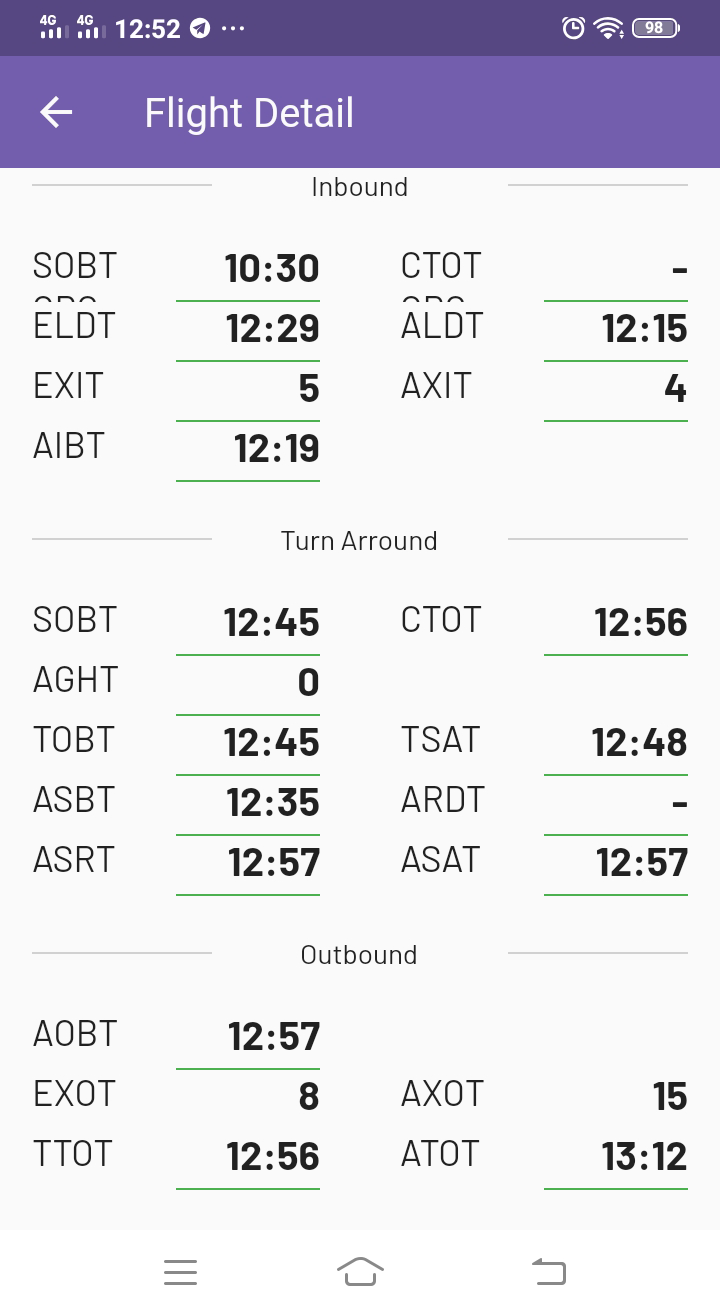
flight detil (form input) data a-cdm pada tab workspace
General Information
bagian paling atas adalah resume flight: sudah dijelaskan di atas
COM07, COM105B, dan seterusnya: adalah alert. Penjelasan alert klik di link berikut
ready button: tombol yang hanya muncul pada user airline/ground handling untuk input ARDT. klik READY >> muncul popup confirm >> klik OK jika time ARDT sesuai dengan message confirm
opr: operator/airline
regn: registrasi pesawat
csgna: callsign arrival
asob: arrival source on board (jumlah penumpang arrival)
org: bandara asal
psta: parking stand arrival
twa: taxi way arrival
rwa: runway arrival
gta: gate arrival
a/c: aircraft type
csgnd: callsign departure
dsob: departure source on board (jumlah penumpang departure)
des: bandara tujuan
pstd parking stand departure
twd: taxi way departure
rwd: runway arrival
gtd: gate departure
Inbound
sobt org: schedule off block time pada bandara asal
eldt: estimate landing time
exit: estimate taxi in time
aibt: actual in block time
ctot org: calculate take off time dari bandara asal
aldt: actual landing time
axit: actual taxi in time
Turn Arround
sobt: schedule off block time
aght: actual ground handling time
tobt: target off block time
asbt: actual start boarding time
asrt: actual start-up request time
ctot: calculate take off time
tsat: target start-up approval time
ardt: actual ready time
asat: actual start-up approval time
Outbond
aobt: actual off block time
exot: estimate taxi out time
ttot: target take off time
axot: actual taxi out time
atot: actual take off time
Dashboard
Dashboard-ACDM adalah modul aplikasi yang menampilkan data A-CDM dalam bentuk diagram dan grafik guna memudahkan dalam membaca dan analisis data flight A-CDM. Berikut tampilan dalam versi mobile
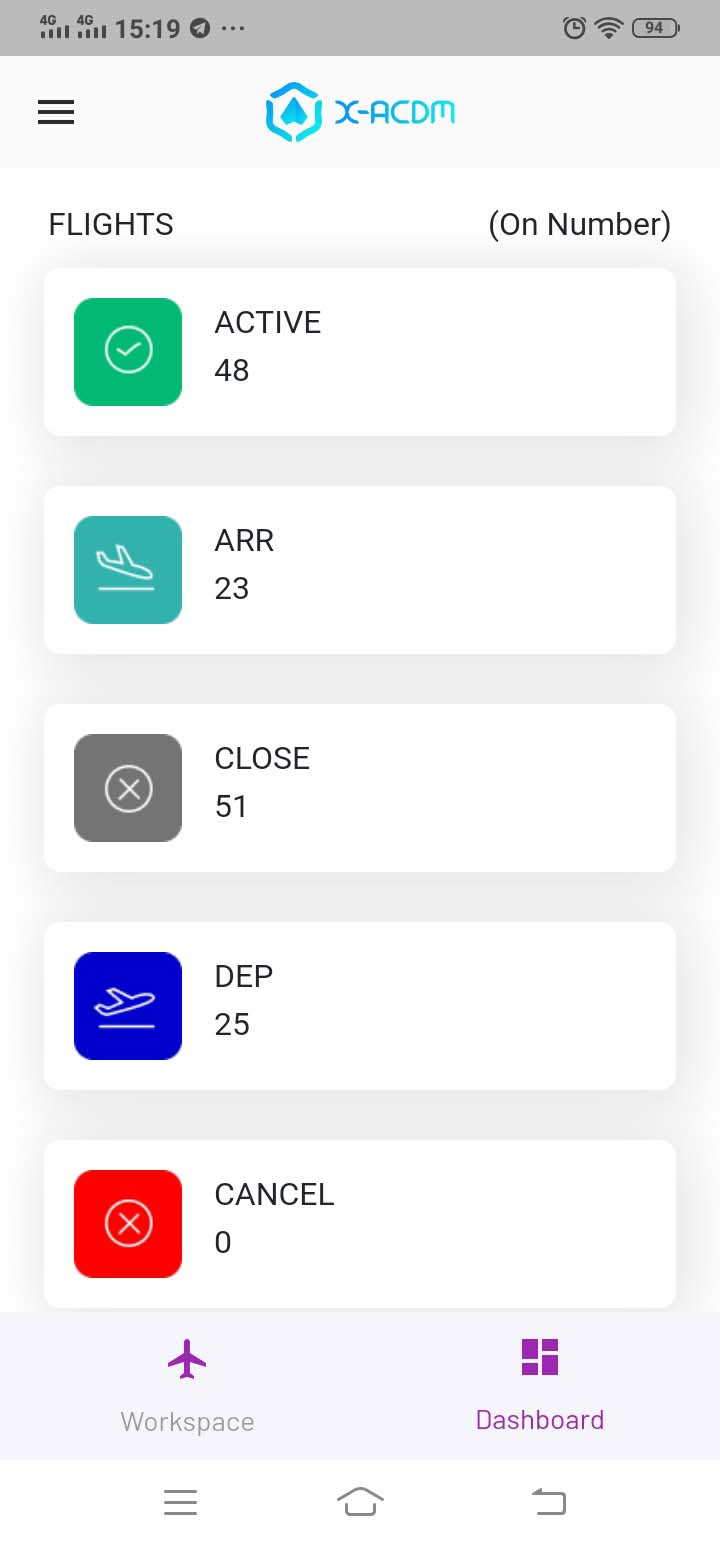
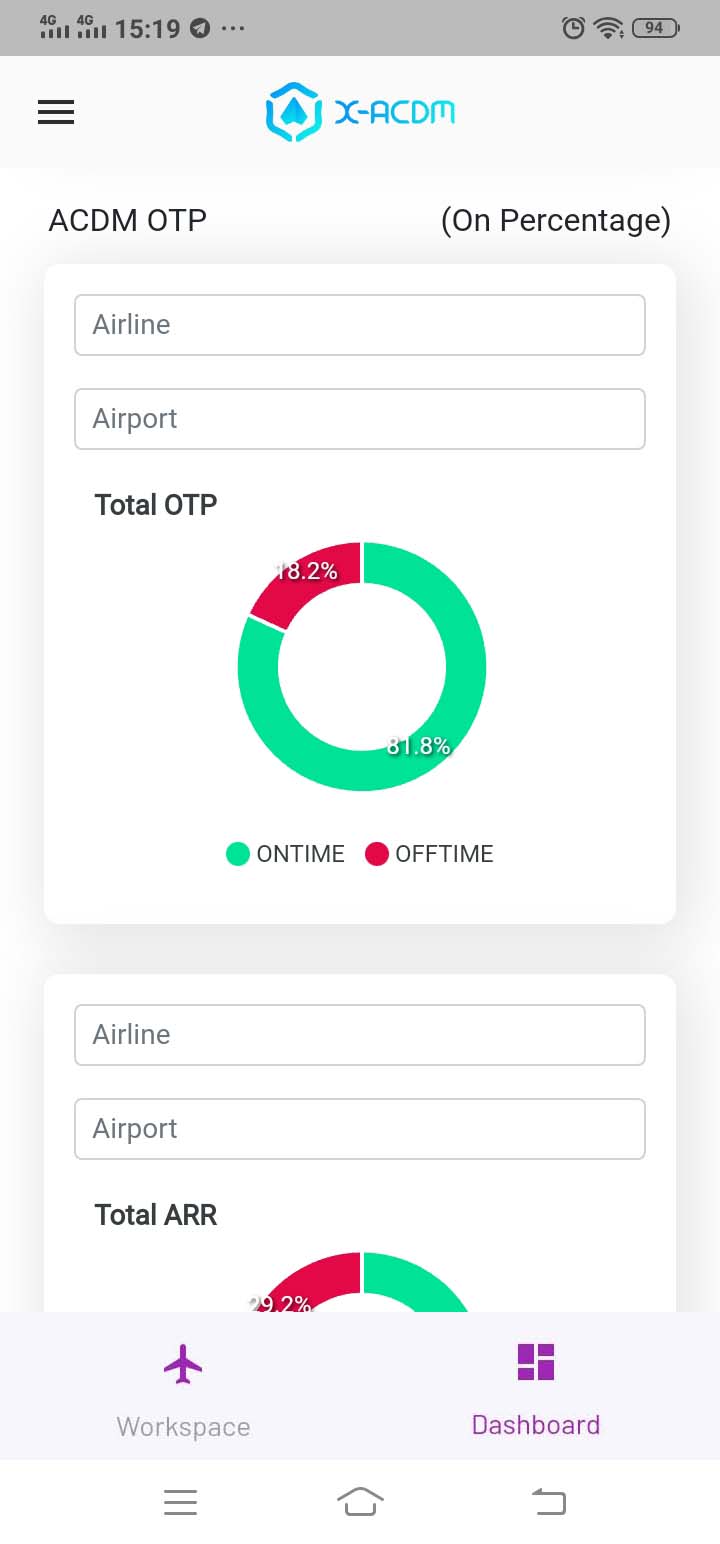
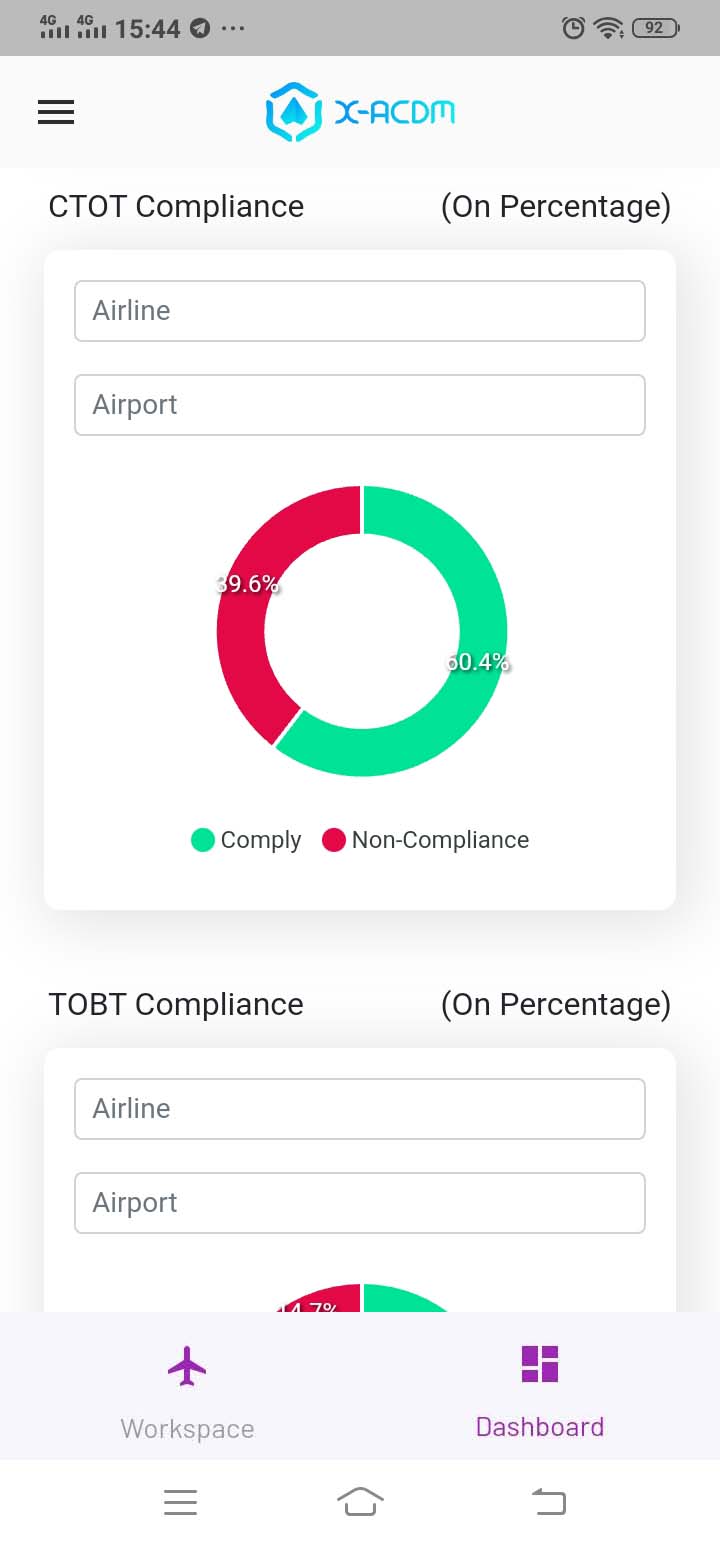
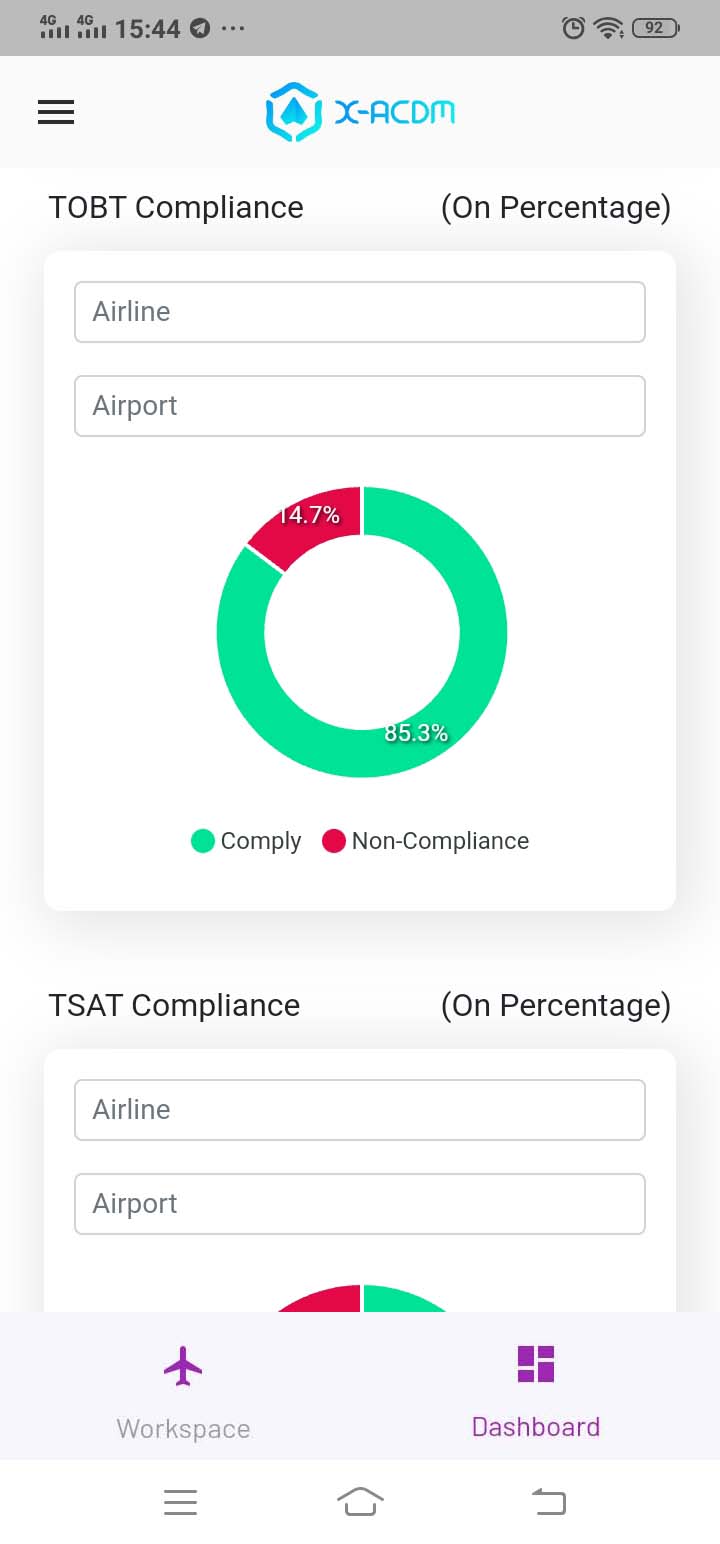
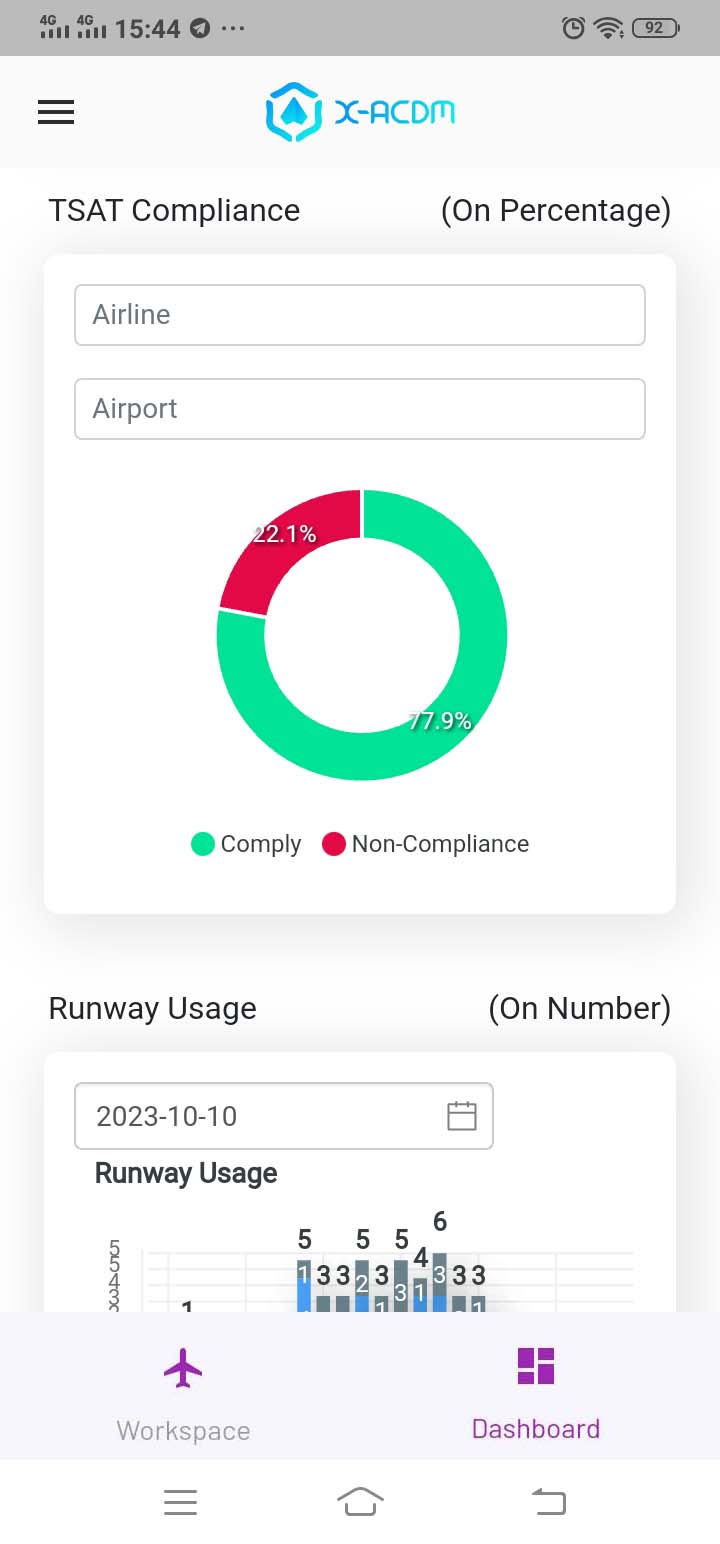
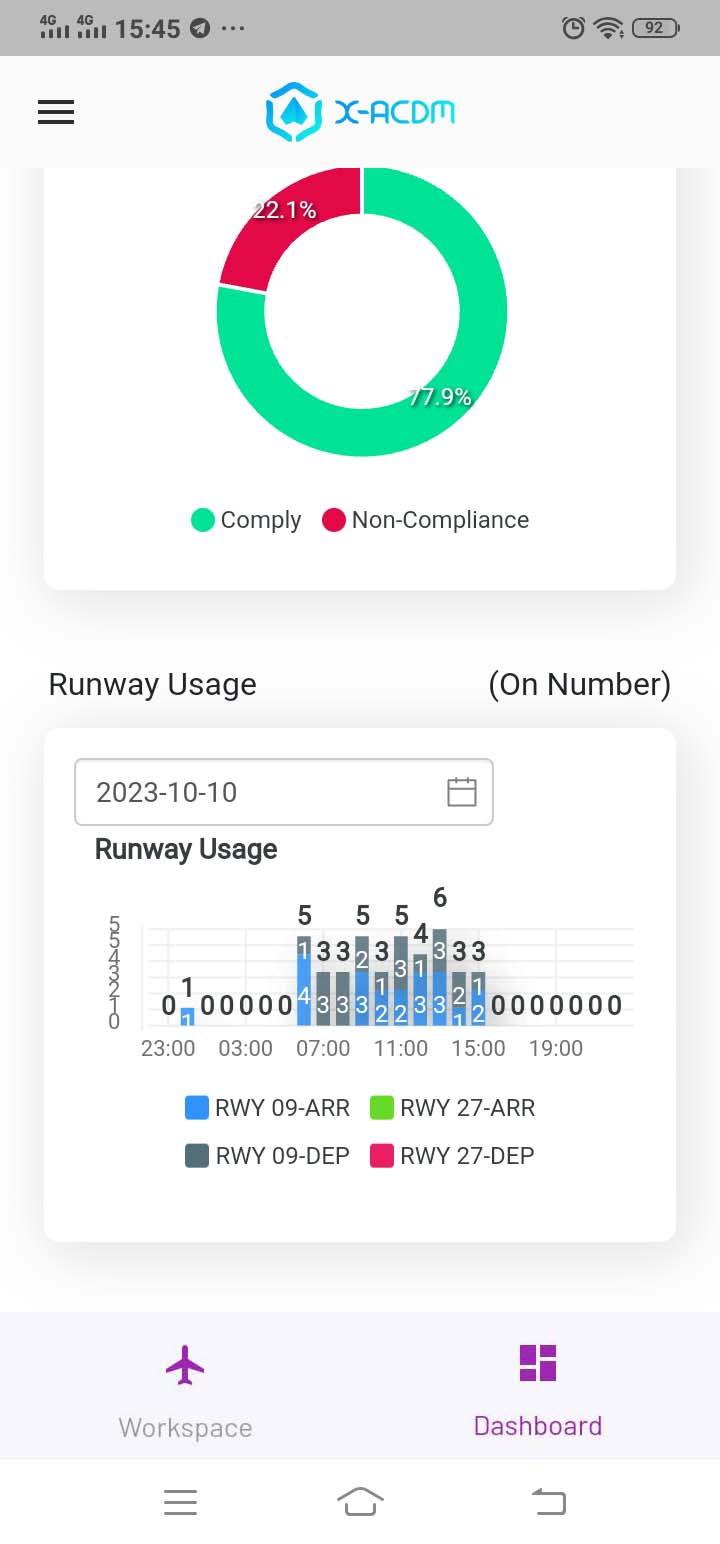
dashboard a-cdm >> flight resume, a-cdm otp, ctot compliance, tobt compliance, tsat compliance, dan runway usage